
デザインのタイプ
【3Dレイヤー・パララックス・ホバーカード】
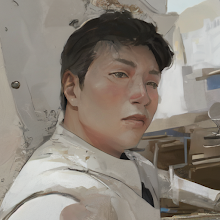
複数の画像レイヤーとマウス追従エフェクトを組み合わせた、奥行きのあるインタラクティブなカードデザイン。キャラクターやオブジェクトがフレームから飛び出すような、ダイナミックな視覚体験を提供します。
Hover me!
3D Parallax Effect with CSS & JS.
Hover me!
Interactive depth and motion.
デザインの特徴
- 多層レイヤー構造
背景、カットアウト、装飾フレームを分離したレイヤーで構成し、物理的な奥行きを表現。 - マウス追従3D回転
カーソルの位置に連動してカードがリアルタイムに傾斜し、動的なインタラクションを提供。 - 飛び出し演出
特定のレイヤーをフレーム前方に配置することで、ホバー時にキャラクターが飛び出すような視覚効果を実現。
紹介コード
<style>
/* --- CSS Area --- */
.tpd-3d-wrapper {
    width: 100%;
    padding: 50px 0;
    background: #111; /* 背景を見やすくするために暗転 */
    overflow: hidden;
}

.tpd-centered {
    display: flex;
    align-items: center;
    justify-content: center;
    gap: 2rem;
    flex-wrap: wrap; /* スマホ等で折り返し可能に */
}

.tpd-card {
    position: relative;
    height: 28rem;
    width: 20rem;
    color: #ffffff;
    perspective: 50rem;
    cursor: pointer;
}

.tpd-card .shadow {
    position: absolute;
    inset: 0;
    background: var(--url);
    background-size: cover;
    background-position: center;
    opacity: 0.8;
    filter: blur(2rem) saturate(0.9);
    box-shadow: 0 -1.5rem 2rem -0.5rem rgba(0, 0, 0, 0.7);
    transform: rotateX(var(--rotateX, 0deg)) rotateY(var(--rotateY, 0deg)) translate3d(0, 2rem, -2rem);
}

.tpd-card .image {
    position: absolute;
    inset: 0;
    background: linear-gradient(to top, rgba(0, 0, 0, 0.5), transparent 40%), var(--url);
    background-size: cover;
    background-position: center;
    -webkit-mask-image: var(--url);
    mask-image: var(--url);
    -webkit-mask-size: cover;
    mask-size: cover;
    -webkit-mask-position: center;
    mask-position: center;
}

.tpd-card .image.background {
    transform: rotateX(var(--rotateX, 0deg)) rotateY(var(--rotateY, 0deg)) translate3d(0, 0, 0rem);
}

.tpd-card .image.cutout {
    transform: rotateX(var(--rotateX, 0deg)) rotateY(var(--rotateY, 0deg)) translate3d(0, 0, 4rem) scale(0.92);
    z-index: 3;
}

.tpd-card .content {
    position: absolute;
    display: flex;
    flex-direction: column;
    justify-content: flex-end;
    inset: 0;
    padding: 3.5rem;
    transform: rotateX(var(--rotateX, 0deg)) rotateY(var(--rotateY, 0deg)) translate3d(0, 0, 6rem);
    z-index: 4;
}

.tpd-card::after, .tpd-card::before {
    content: "";
    position: absolute;
    inset: 1.5rem;
    border: #e2c044 0.5rem solid;
    transform: rotateX(var(--rotateX, 0deg)) rotateY(var(--rotateY, 0deg)) translate3d(0, 0, 2rem);
}

.tpd-card::before { z-index: 4; }
.tpd-card.border-left-behind::before { border-left: transparent; }
.tpd-card.border-right-behind::before { border-right: transparent; }
.tpd-card.border-bottom-behind::before { border-bottom: transparent; }

.tpd-card h2 {
    font-size: 1.25rem;
    font-weight: 700;
    margin-bottom: 0.5rem;
    text-shadow: 0 0 2rem rgba(0, 0, 0, 0.5);
}

.tpd-card p {
    font-weight: 300;
    text-shadow: 0 0 2rem rgba(0, 0, 0, 0.5);
    margin: 0;
}
</style>

<div class="tpd-3d-wrapper">
    <div class="tpd-centered">
        <div class="tpd-card border-left-behind" data-rotate-x="0" data-rotate-y="0">
            <div class="shadow" style="--url: url('https://i.ibb.co/PM4ghD4/full.png')"></div>
            <div class="image background" style="--url: url('https://i.ibb.co/JpJVJxq/Background.png')"></div>
            <div class="image cutout" style="--url: url('https://i.ibb.co/Dw3q3tZ/cutout.png')"></div>
            <div class="content">
                <h2>Hover me!</h2>
                <p>3D Parallax Effect with CSS & JS.</p>
            </div>
        </div>
        <div class="tpd-card border-right-behind border-bottom-behind" data-rotate-x="0" data-rotate-y="0">
            <div class="shadow" style="--url: url('https://i.ibb.co/DC0MbxS/m-full.png')"></div>
            <div class="image background" style="--url: url('https://i.ibb.co/ZdGBm4K/m-background.png')"></div>
            <div class="image cutout" style="--url: url('https://i.ibb.co/RC70XmC/m-cutout.png')"></div>
            <div class="content">
                <h2>Hover me!</h2>
                <p>Interactive depth and motion.</p>
            </div>
        </div>
    </div>
</div>
  <script>
// --- JavaScript Area ---
(function() {
    const angle = 20;
    const lerp = (start, end, amount) => (1 - amount) * start + amount * end;
    const remap = (value, oldMax, newMax) => {
        const newValue = ((value + oldMax) * (newMax * 2)) / (oldMax * 2) - newMax;
        return Math.min(Math.max(newValue, -newMax), newMax);
    };

    const cards = document.querySelectorAll(".tpd-card");
    cards.forEach((e) => {
        e.addEventListener("mousemove", (event) => {
            const rect = e.getBoundingClientRect();
            const centerX = (rect.left + rect.right) / 2;
            const centerY = (rect.top + rect.bottom) / 2;
            const posX = event.clientX - centerX;
            const posY = event.clientY - centerY;
            e.dataset.targetX = remap(posX, rect.width / 2, angle);
            e.dataset.targetY = -remap(posY, rect.height / 2, angle);
        });

        e.addEventListener("mouseleave", () => {
            e.dataset.targetX = 0;
            e.dataset.targetY = 0;
        });
    });

    const update = () => {
        cards.forEach((e) => {
            const targetX = parseFloat(e.dataset.targetX) || 0;
            const targetY = parseFloat(e.dataset.targetY) || 0;
            const currentX = parseFloat(e.dataset.currentX) || 0;
            const currentY = parseFloat(e.dataset.currentY) || 0;

            const x = lerp(currentX, targetX, 0.1);
            const y = lerp(currentY, targetY, 0.1);

            e.dataset.currentX = x;
            e.dataset.currentY = y;

            e.style.setProperty("--rotateY", x + "deg");
            e.style.setProperty("--rotateX", y + "deg");
        });
        requestAnimationFrame(update);
    }
    requestAnimationFrame(update);
})();
</script>


コメントを投稿